Olives Objective

Develop an all-inclusive health and wellness app that empowers users to proactively manage both their physical and mental well-being. This can be achieved by offering features such as logging health data, identifying correlations between symptoms, and presenting informative articles on relevant topics.

Develop an all-inclusive health and wellness app that empowers users to proactively manage both their physical and mental well-being. This can be achieved by offering features such as logging health data, identifying correlations between symptoms, and presenting informative articles on relevant topics.

Problem Statment

Olive users need a way to effortlessly and accurately keep tabs on their physical and mental health. It's crucial because when they seek further understanding or medical treatment later on, they must have reliable data to access. We'll know it's true when we hear from them in reviews and surveys that the app has gone above and beyond their expectations in terms of easily and accurately tracking symptoms.

Olive users need a way to effortlessly and accurately keep tabs on their physical and mental health. It's crucial because when they seek further understanding or medical treatment later on, they must have reliable data to access. We'll know it's true when we hear from them in reviews and surveys that the app has gone above and beyond their expectations in terms of easily and accurately tracking symptoms.

Why Create Olive?

The inception of Olive sprouted from my personal fascination with health and wellness. It originated from my own path to diagnosis, where I realized the necessity of having a centralized platform to document my symptoms, thoughts, and emotions. This served a dual purpose: providing solace for self-soothing and enabling me to maintain an accurate medical history that could be readily accessed by both myself and my healthcare provider. This profound realization inspired the creation of Olive.
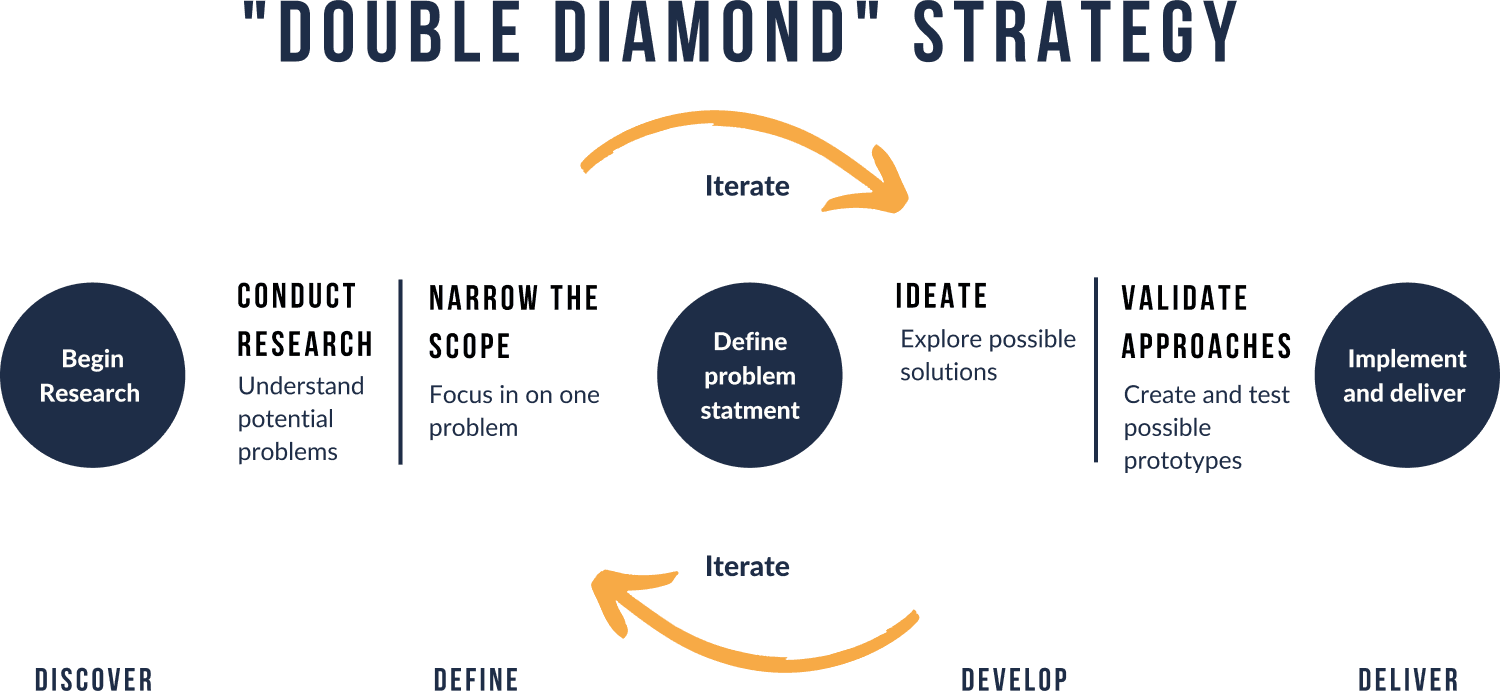
Research

During the development of Olive, I recognized the sensitive nature of the subject matter, as it directly relates to the user's health. Consequently, it became crucial for me to delve into their preferences, aversions, motivations, and behaviours. This understanding was essential in handling these sensitivities with the utmost care and crafting of an empowering tool that genuinely caters to the distinct needs of these users.

During the development of Olive, I recognized the sensitive nature of the subject matter, as it directly relates to the user's health. Consequently, it became crucial for me to delve into their preferences, aversions, motivations, and behaviours. This understanding was essential in handling these sensitivities with the utmost care and crafting of an empowering tool that genuinely caters to the distinct needs of these users.

Initial Research

Affinity Map

Number of Participants: 6 (3M/3F)

Age range: 19-55

Students, Athletes, Stay at home parents, Service Industry Workers

  • Affinity Map

  • Number of Participants: 6 (3M/3F)

  • Age range: 19-55

  • Students, Athletes, Stay at home parents, Service Industry Workers

Consensus.

  • I value online security

  • I hate passwords, but kinda value them though.

  • I largely struggle with motivation and procrastinate.

  • I just do the task as fast as I can.

  • "Just get it done" is what I tell myself

  • 2-3 times a day.

  • I experience my allergies daily.

  • I deal with pain on a daily basis.

  • First I describe the pain

  • I explain the feeling.

  • I describe how it feels first.

  • I use old passwords,

  • I try not to create new passwords

  • I 100% sticks to old passwords.

  • I have never thought to turn a task into a game

  • I haven't really thought of that before.

  • I don't think I've ever tried turning a chore into a game.

Coping with symptoms.

  • Oh a lot of it will be medication to help decrease my symptoms, and being consistent even with the grogginess in the morning ill make sure to take my meds.

  • My purpose for using Fitbit was to track my cycle. It helps you recognize patterns, like when your having sleep abnormalities etc, and how you can fix them.

  • I use breathwork to reduce stress/anxiety, I also take supplements suggested by my doctor. I also do meditation and yoga all to help reduce my symptoms.

  • I don't do anything to relieve my pain.

  • My purpose to use an app like this is to take that information to the doctor to find out more.

  • I mainly just used myfitnesspal to track habit-building fitness progress. Additionally tracking caloric intake and the effect it has on me.

Frustrations.

  • I deal with concussions and I'm in rehabilitation, I still suffer from brain fog, irritability, and lethargy often.

  • I don't really want to track my symptoms anymore because it's to much effort.

  • Normally it's easy to describe my symptoms, but the brain fog makes bringing up words hard, so I'm sometimes looking for words.

  • I use old passwords, because it takes too much time and energy to remember them. I'm less concerned about getting hacked than I am about forgetting my password which causes me issues.

  • Regardless of the sleep I will always be groggy and sometimes nauseous in the morning. I also have asthma, pms symptoms (mood swings, irritability, aches, cramps etc.), and allergies that cause rashes and itching.

  • I value online security but I'm very bad at creating unique passwords and remembering them so like I use LastPass.

  • I largely struggle with motivation and procrastinate.

  • I deal with pain on a daily basis.

  • I've used Fitbit- other apps were too much to maintain.
  • I hate passwords, but kinda value them though.

Other types of tracking heath.

  • I use my fitness pal and a few other nutrition-tracking apps. I downloaded them because I wanted to track my fitness and calories.

  • Yep I track my own symptoms sometimes, I write it down or take mental notes.

  • I've used Fitbit- other apps were too much to maintain.

Overall Users want…

Overall Users want…

  • Little effort to use

  • Set for daily usage

  • Variety of logging types

  • Providing symptom descriptors

  • Little effort to use

  • Set for daily usage

  • Variety of logging types

  • Providing symptom descriptors

Personas

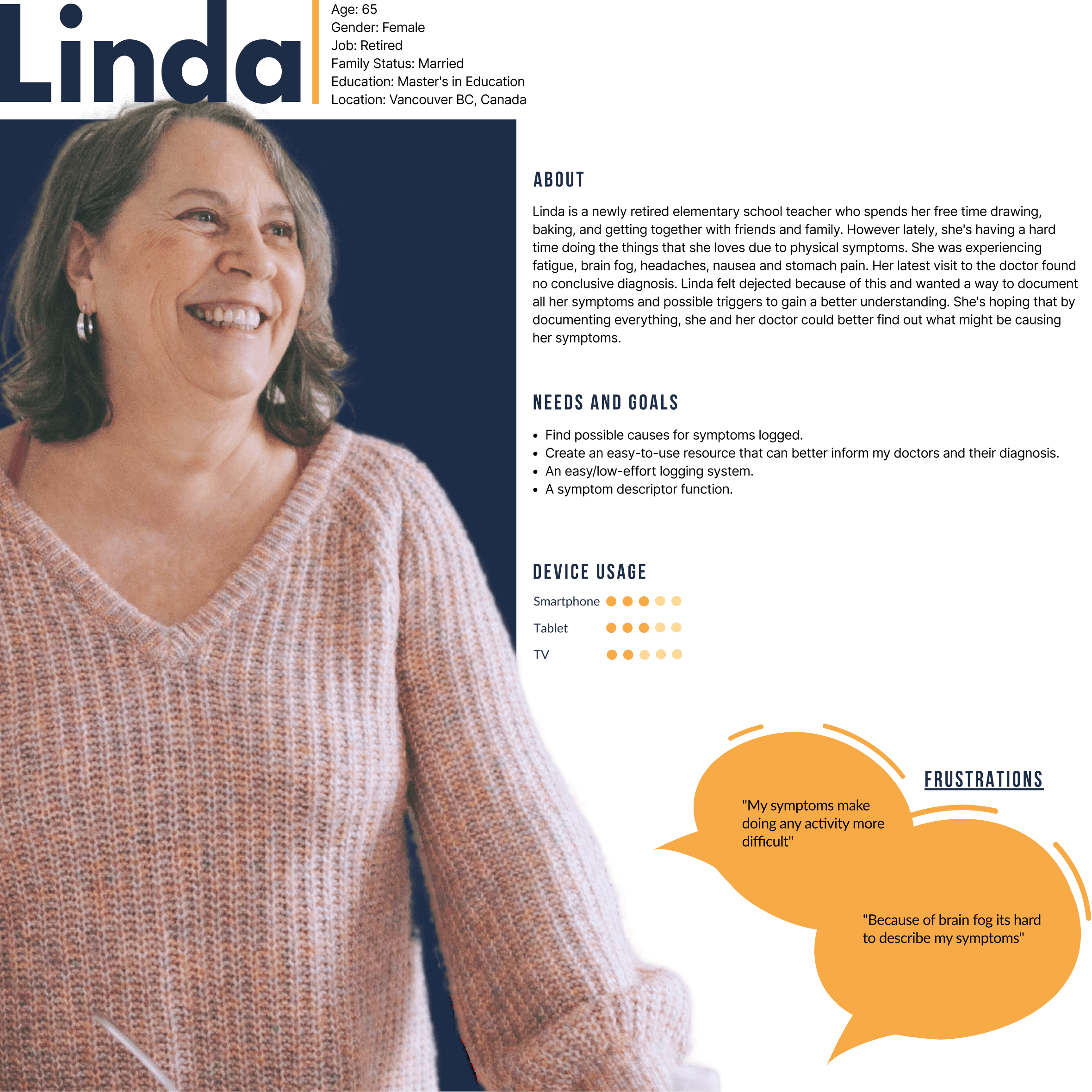
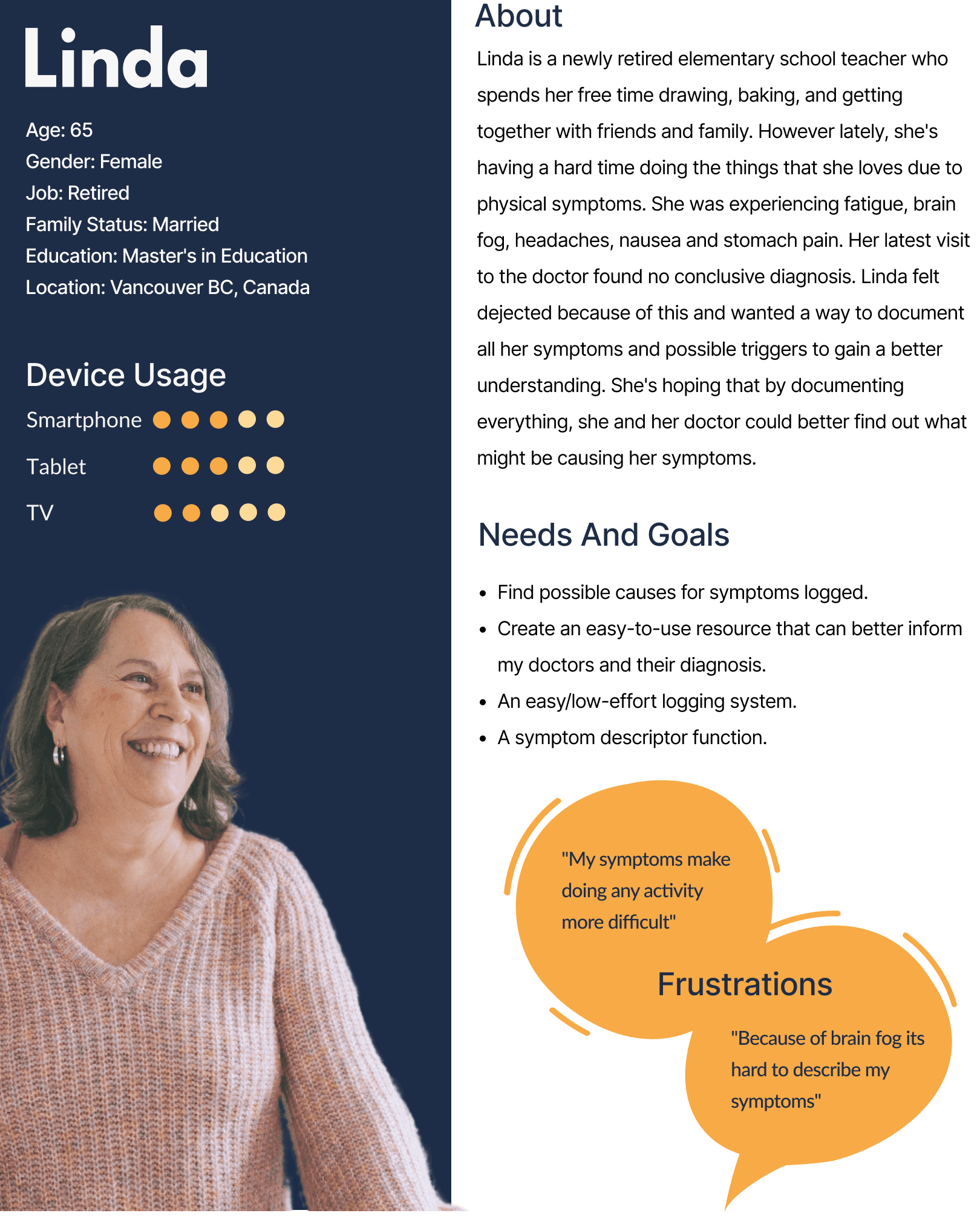
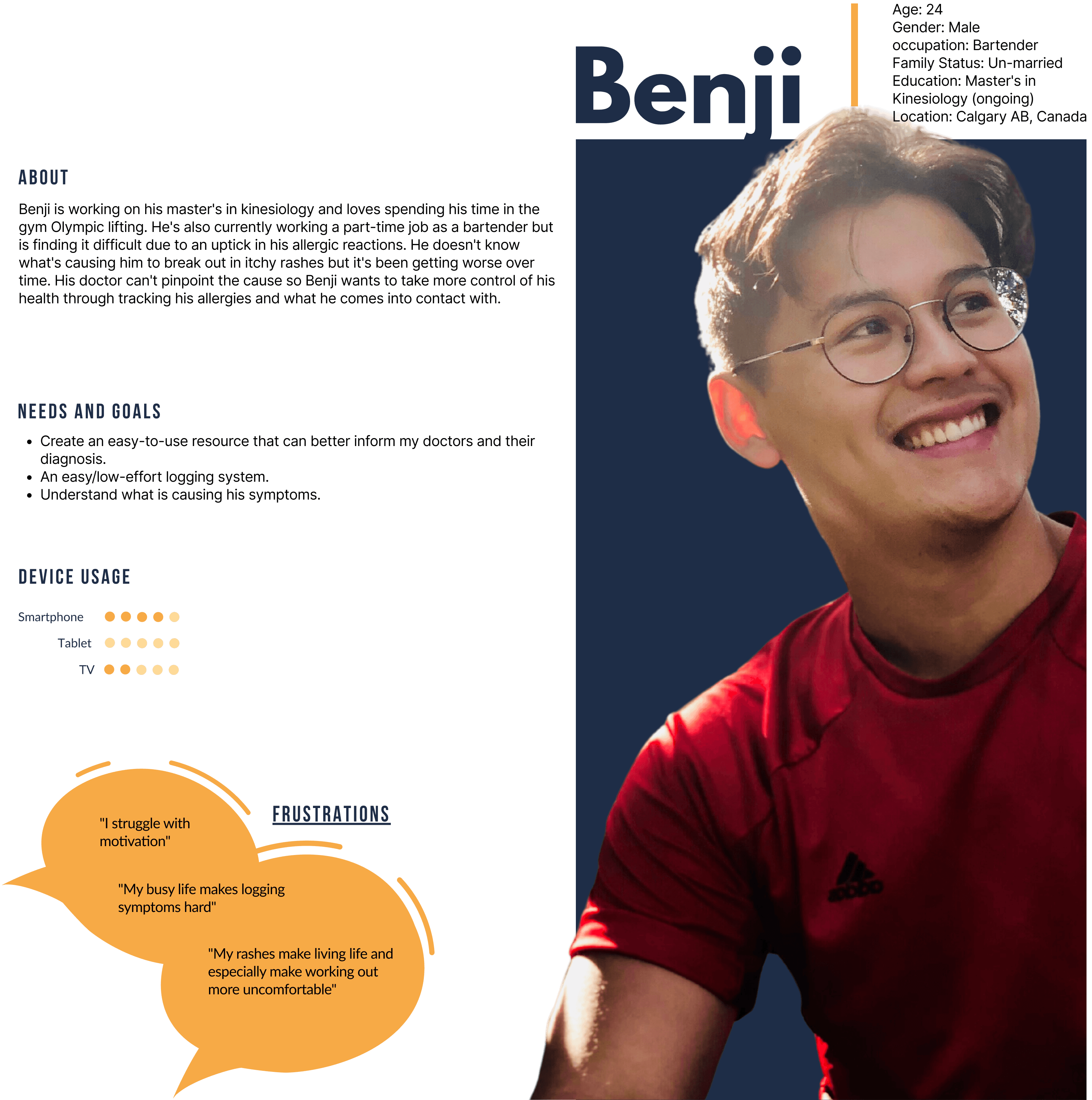
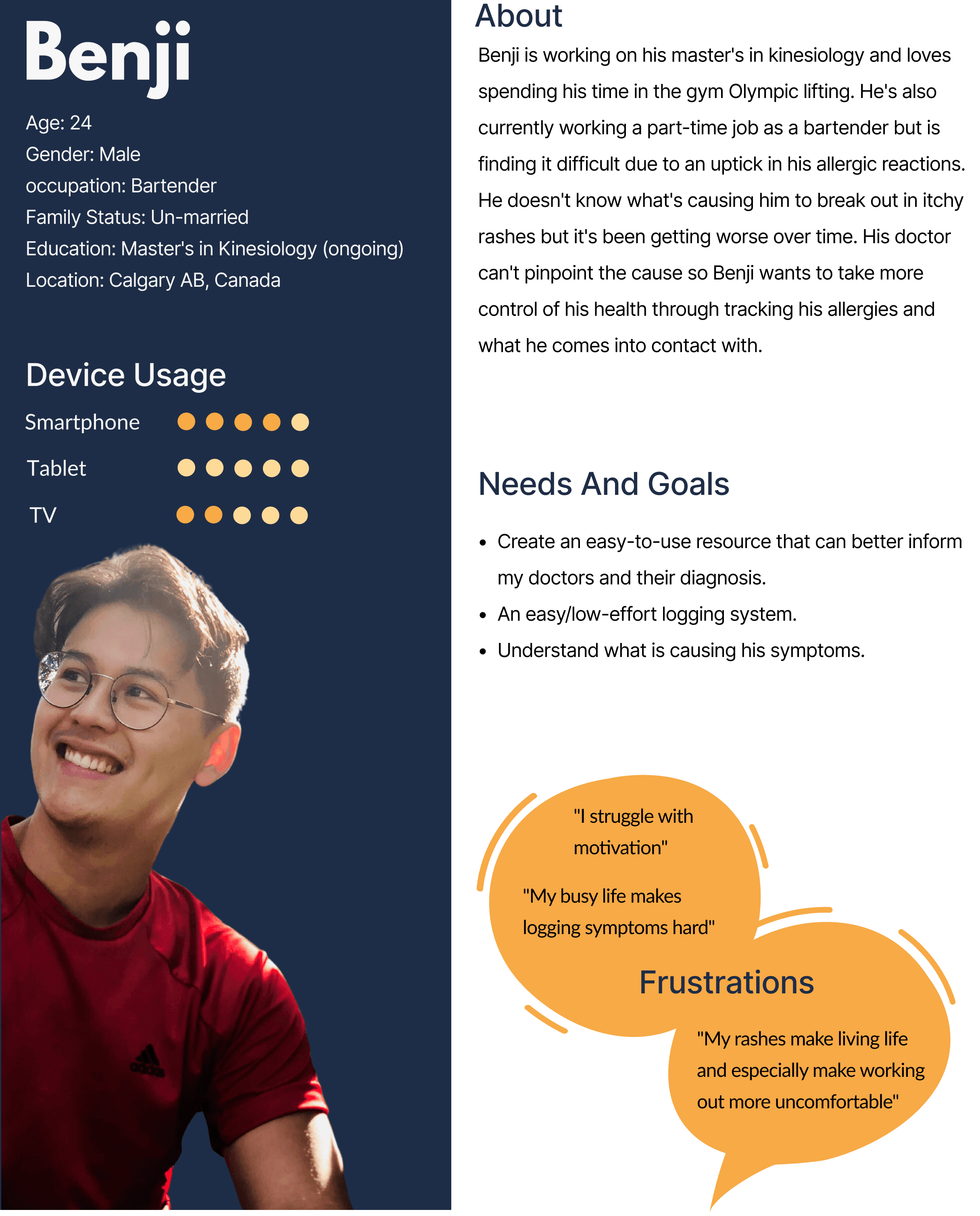
Upon gaining insights into our user base and comprehending their requirements, I went ahead and created some main user personas for Olive. These personas became the backbone of our project, helping us stay on track and cater to our users' needs effectively.

Upon gaining insights into our user base and comprehending their requirements, I went ahead and created some main user personas for Olive. These personas became the backbone of our project, helping us stay on track and cater to our users' needs effectively.

User Flow

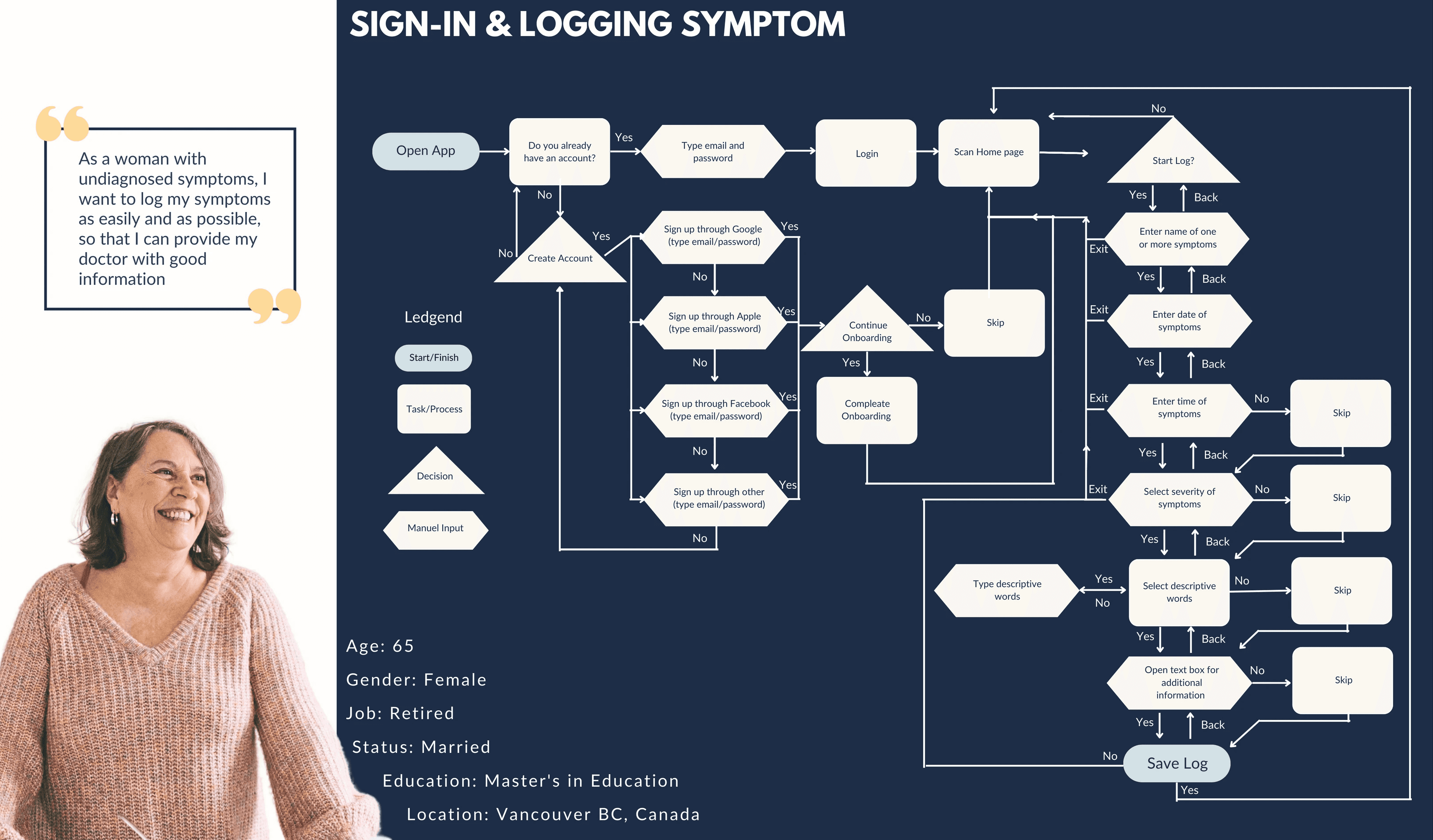
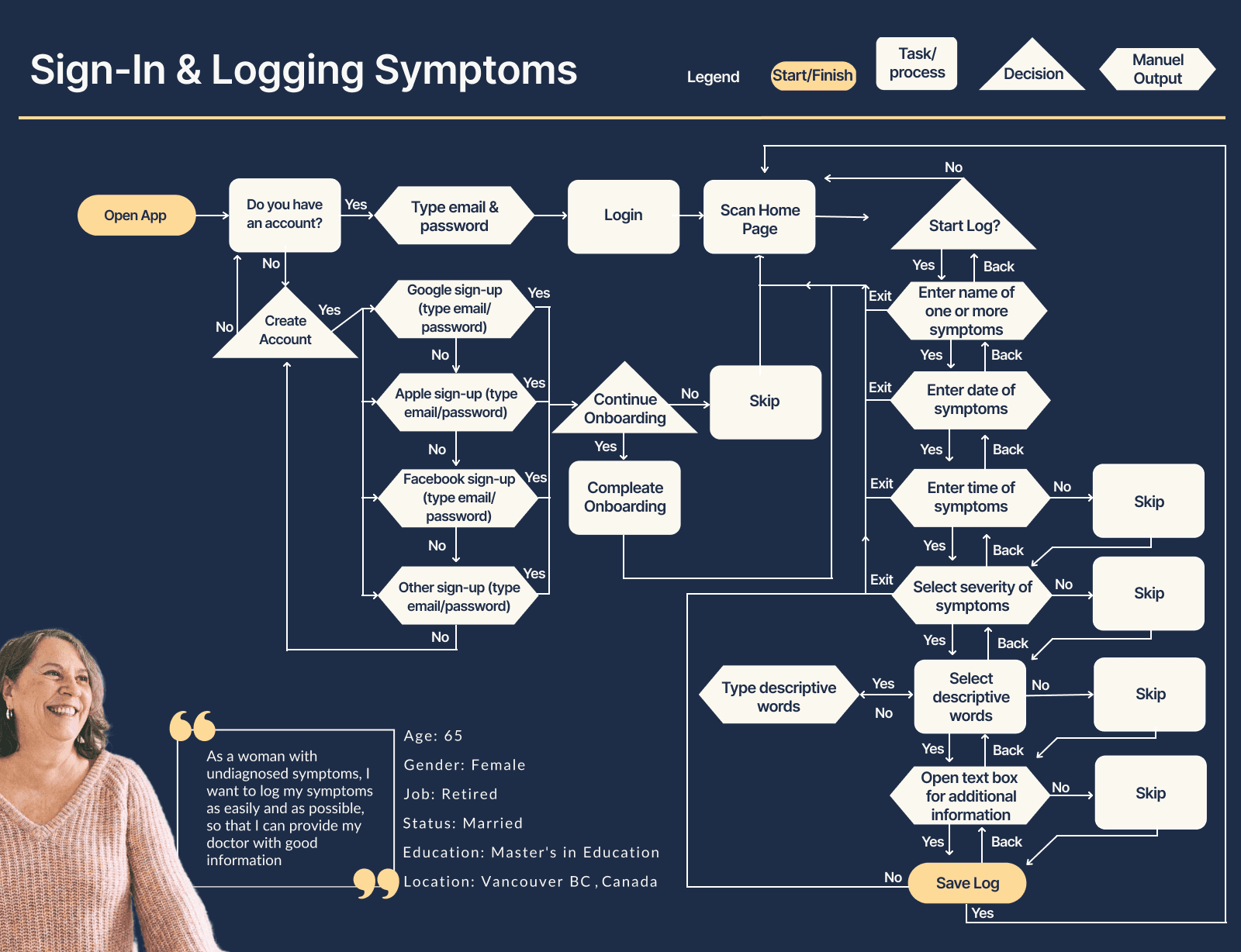
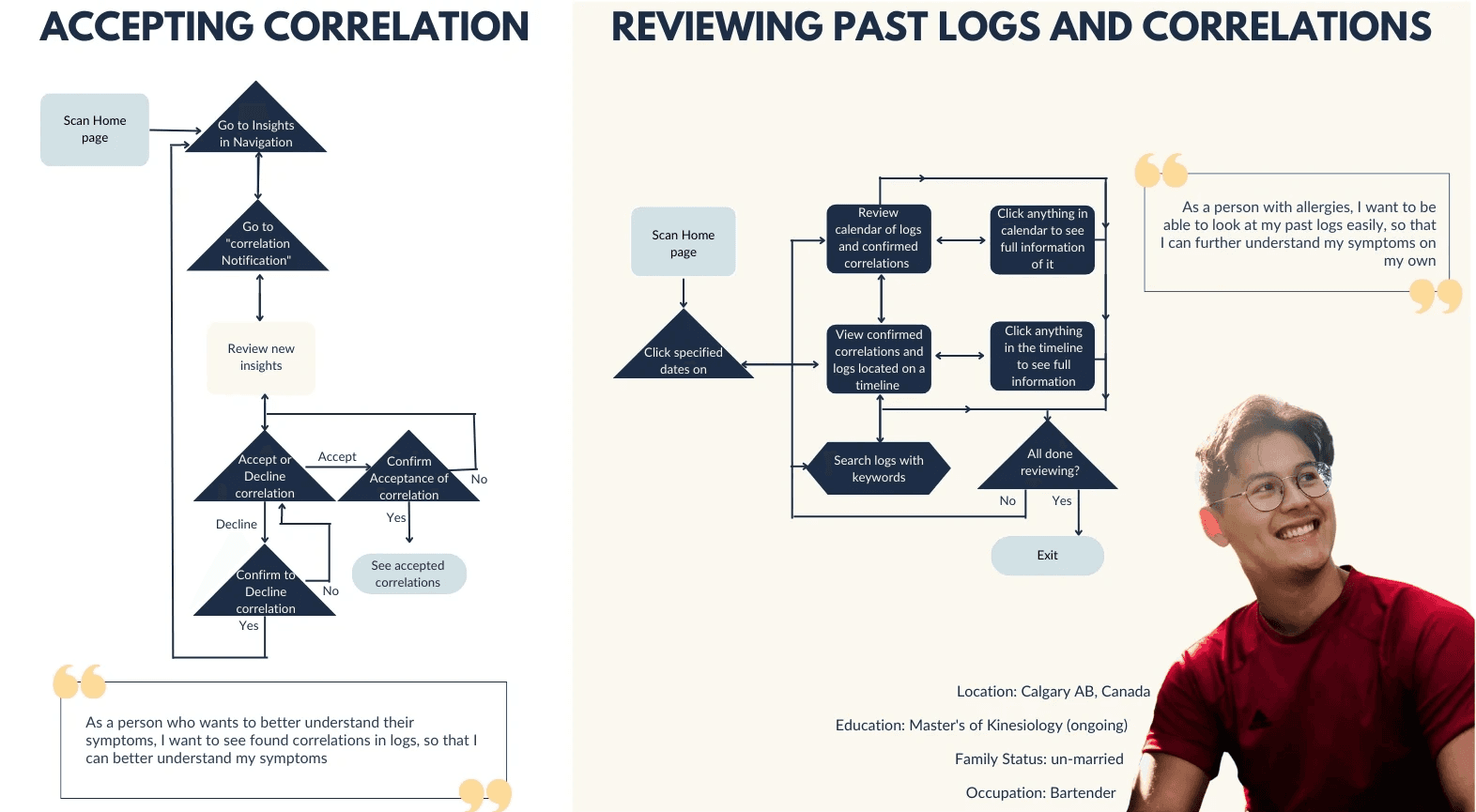
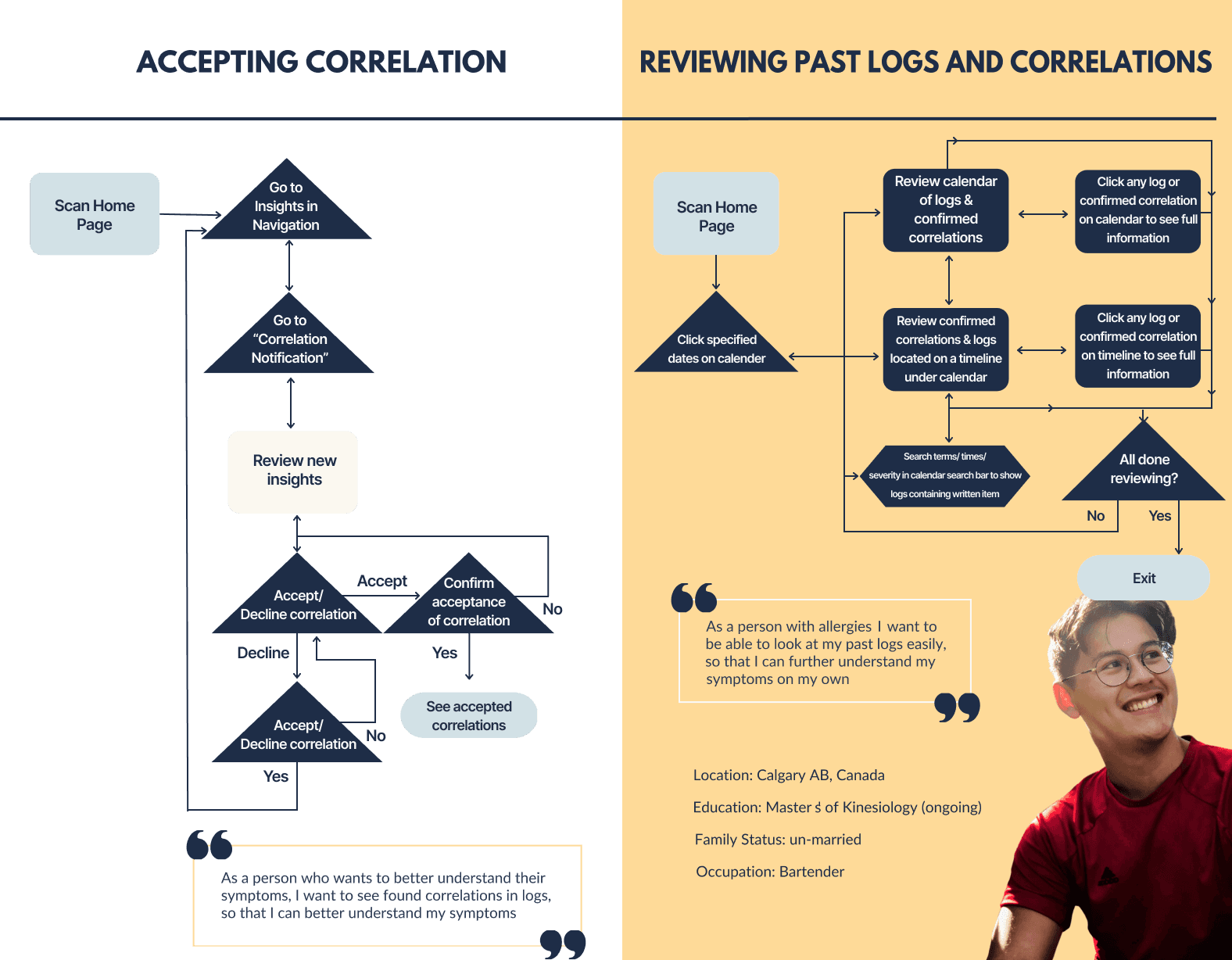
After learning about our users it was time to understand and build the foundational features and flow of Olive in preparation for wireframing.

After learning about our users it was time to understand and build the foundational features and flow of Olive in preparation for wireframing.

Low-Fidelity Wire Frames

Low-Fidelity Wire Frames

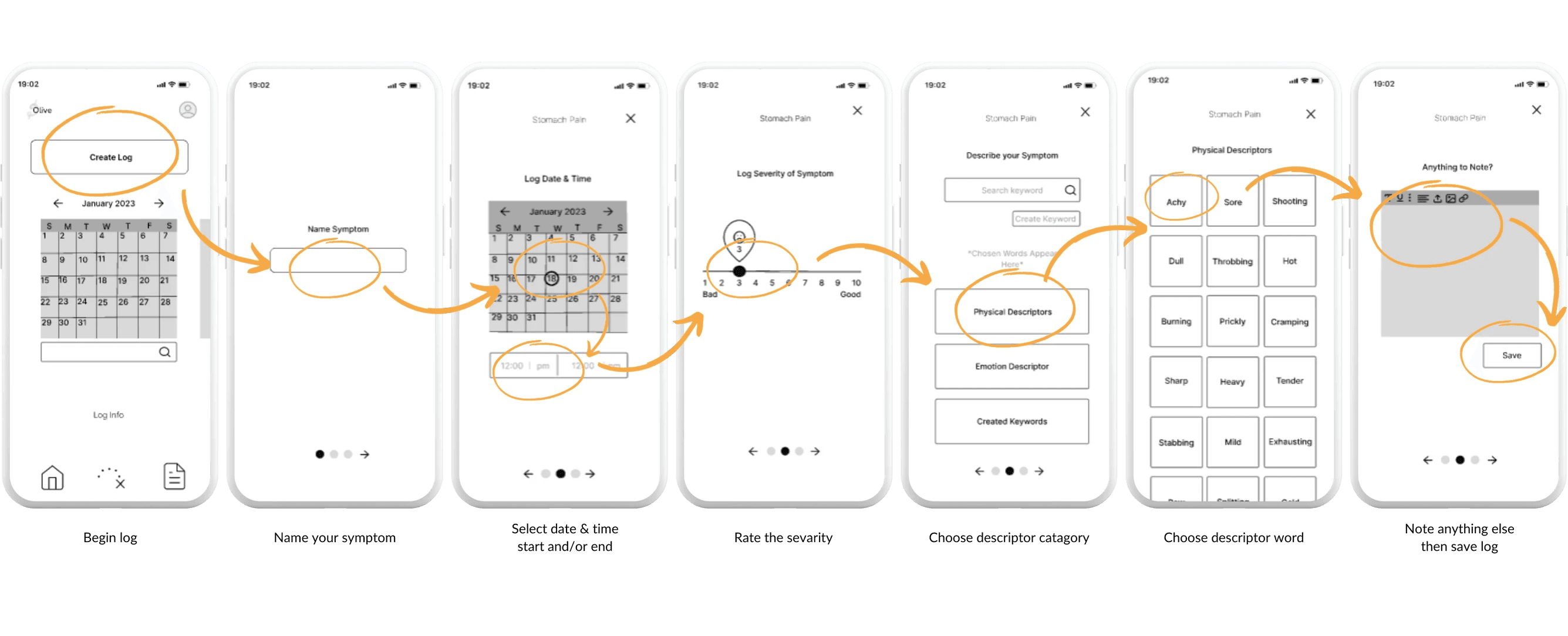
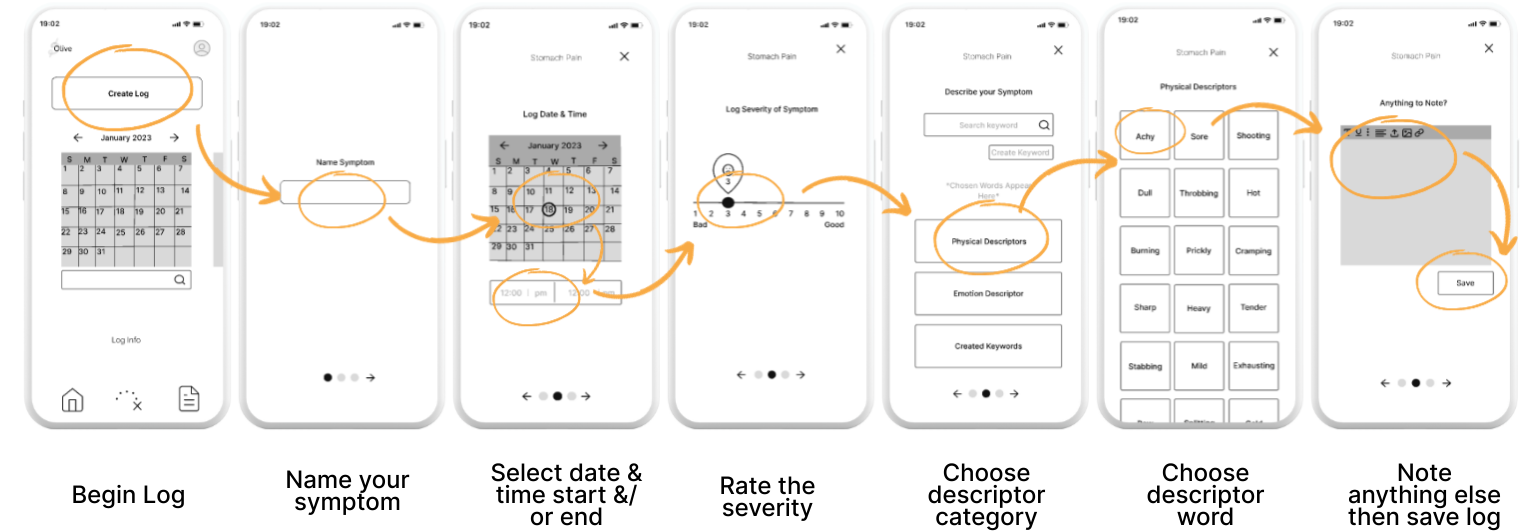
Once I had a solid grasp of the basic user flow, it was time to bring it to life by translating it into a simple wireframe.

Once I had a solid grasp of the basic user flow, it was time to bring it to life by translating it into a simple wireframe.

User Testing

User Testing

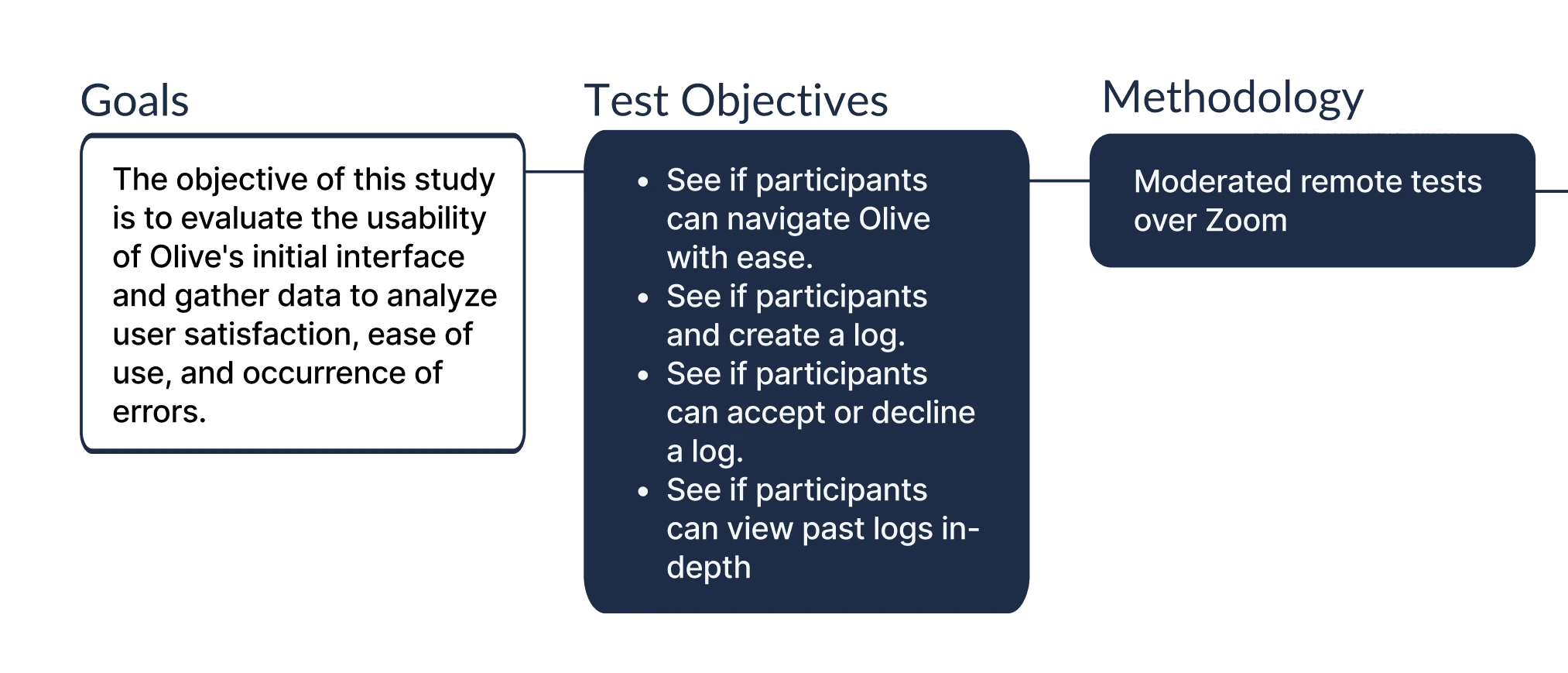
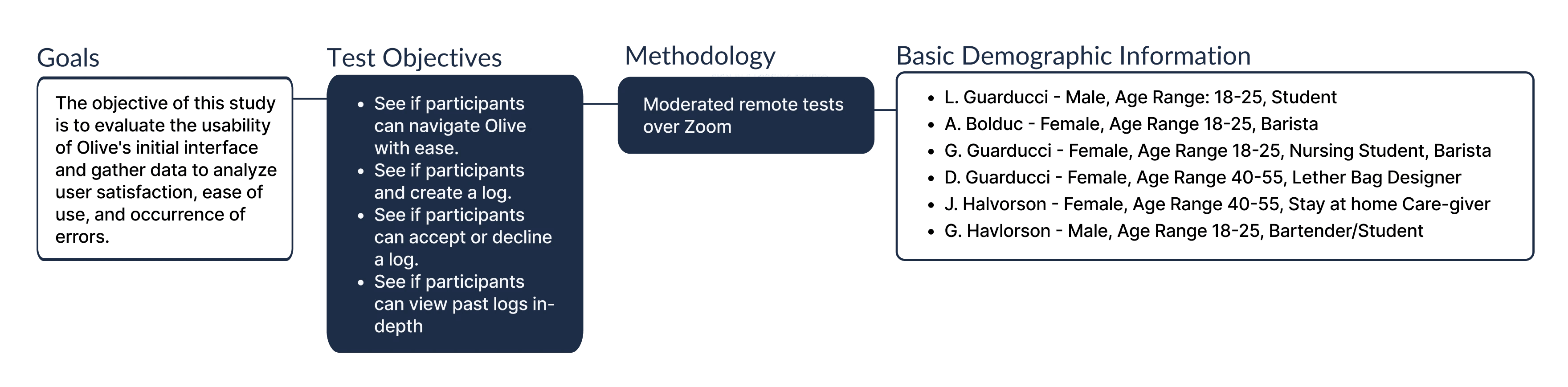
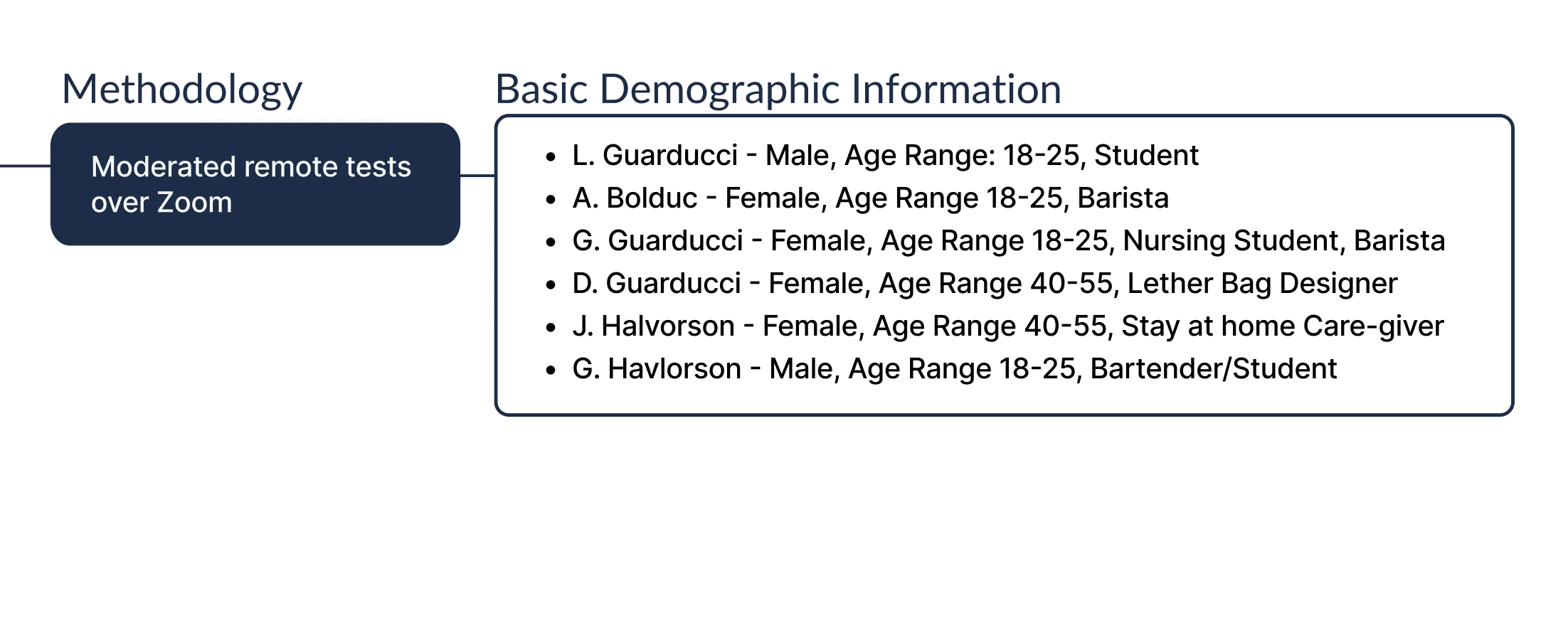
Prior to upgrading the low-fidelity wireframe to a mid-fidelity version, it is essential for me to conduct user testing. This crucial step allows me to identify any potential design friction, enabling us to address and resolve any issues before proceeding further.

Prior to upgrading the low-fidelity wireframe to a mid-fidelity version, it is essential for me to conduct user testing. This crucial step allows me to identify any potential design friction, enabling us to address and resolve any issues before proceeding further.

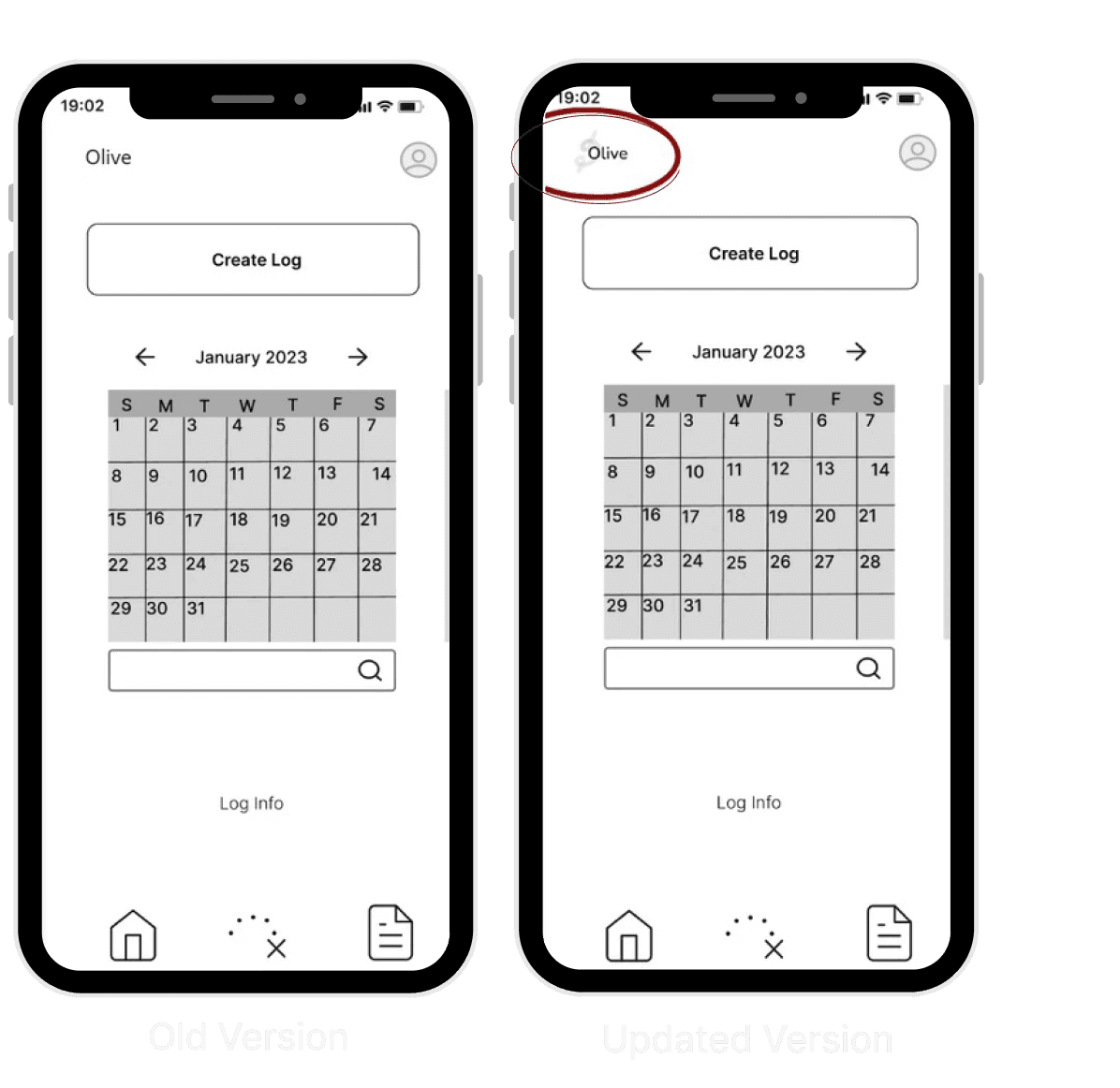
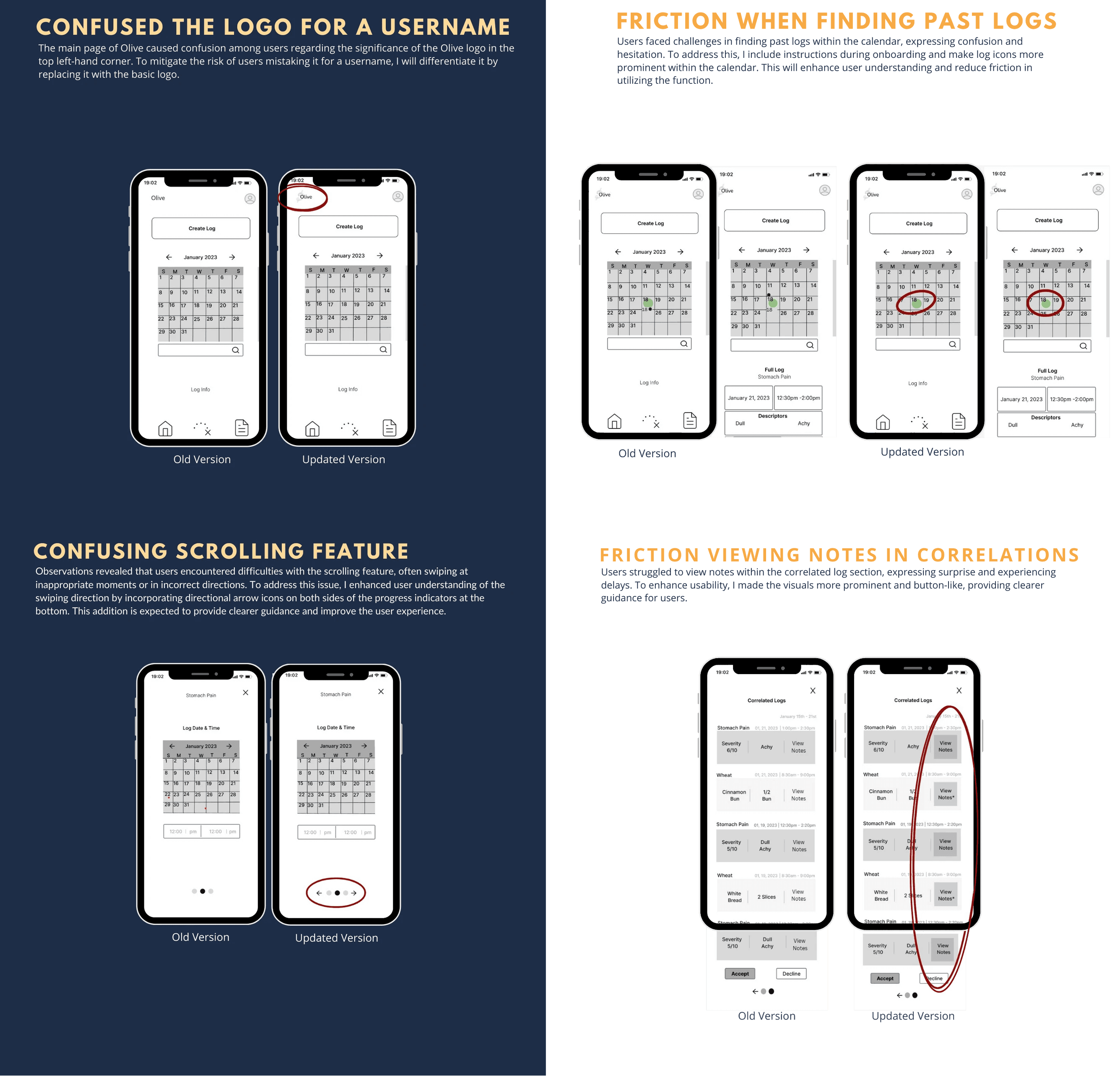
Confused the logo for a
Username

The main page of Olive caused confusion among users regarding the significance of the Olive logo in the top left-hand corner. To mitigate the risk of users mistaking it for a username, I will differentiate it by replacing it with the basic logo.

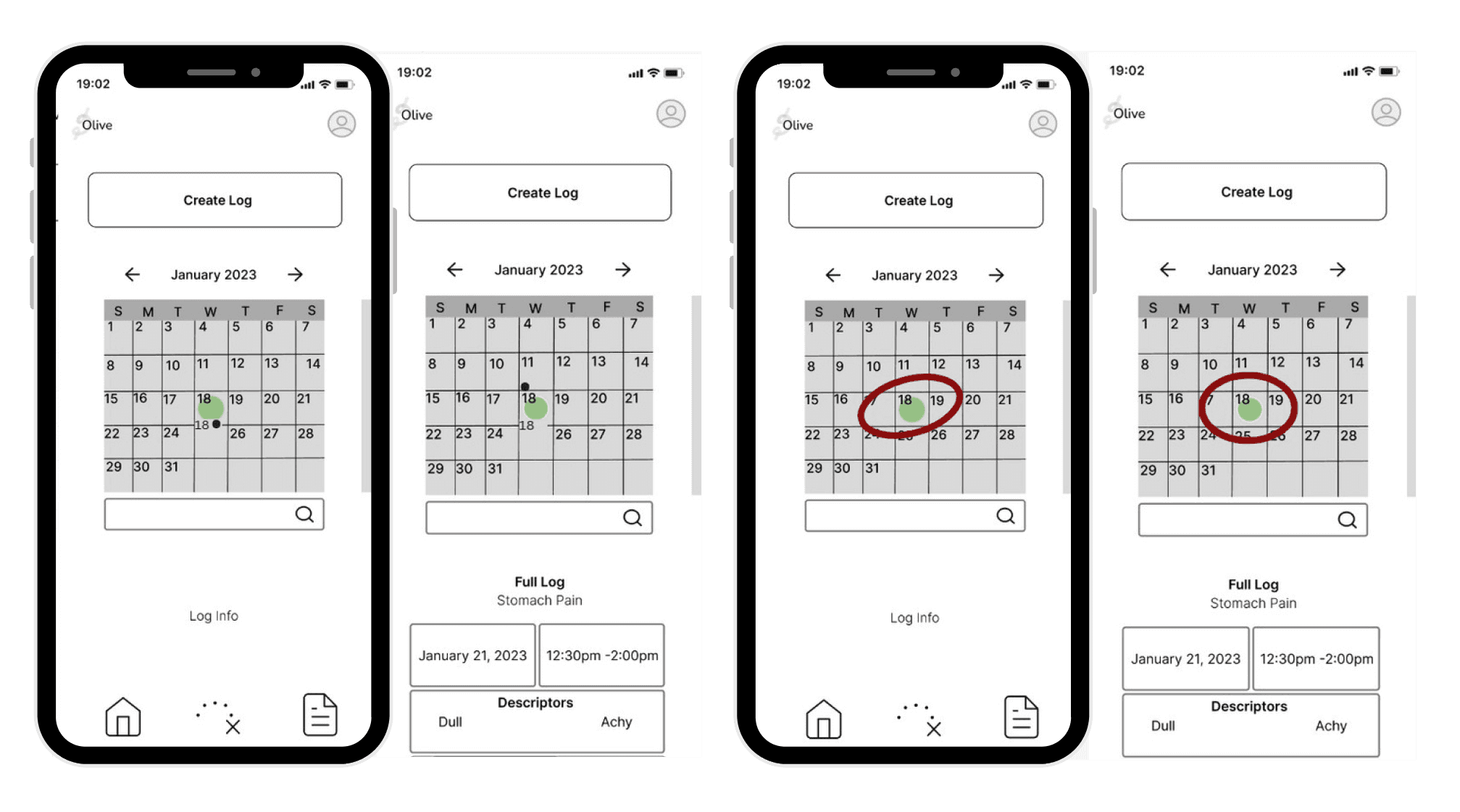
Friction when finding past logs

Users faced challenges in finding past logs within the calendar, expressing confusion and hesitation. To address this, I include instructions during onboarding and make log icons more prominent within the calendar. This will enhance user understanding and reduce friction in utilizing the function.

Confusing Scrolling feature

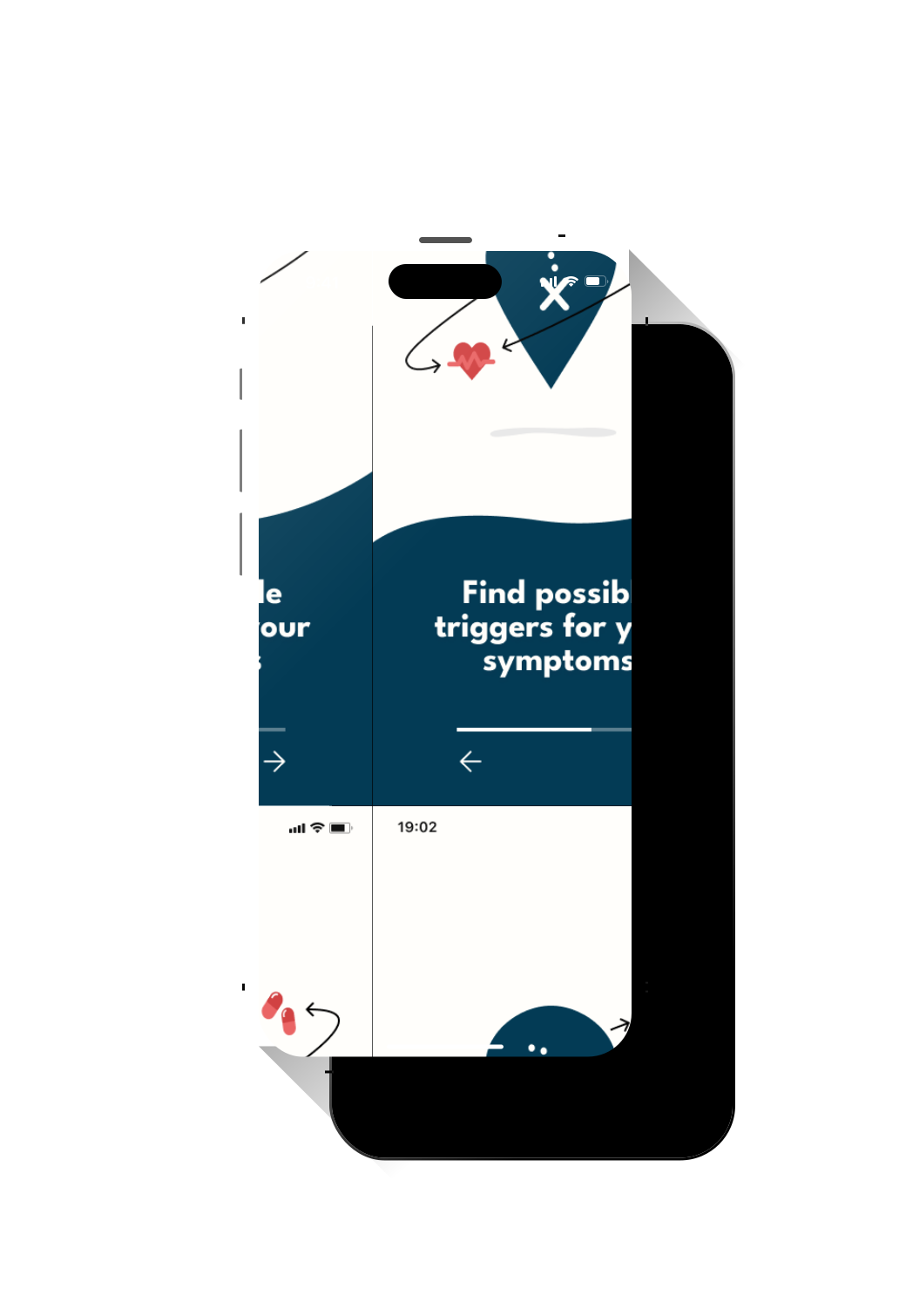
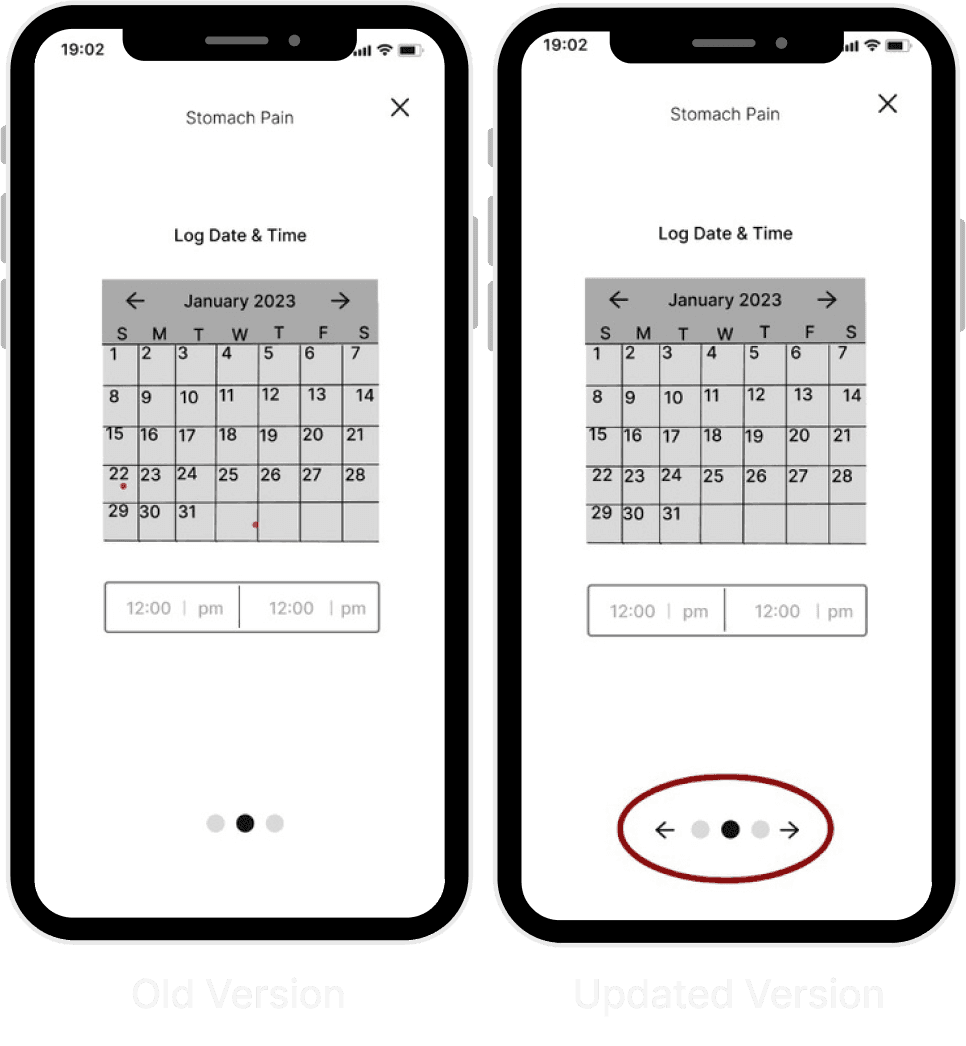
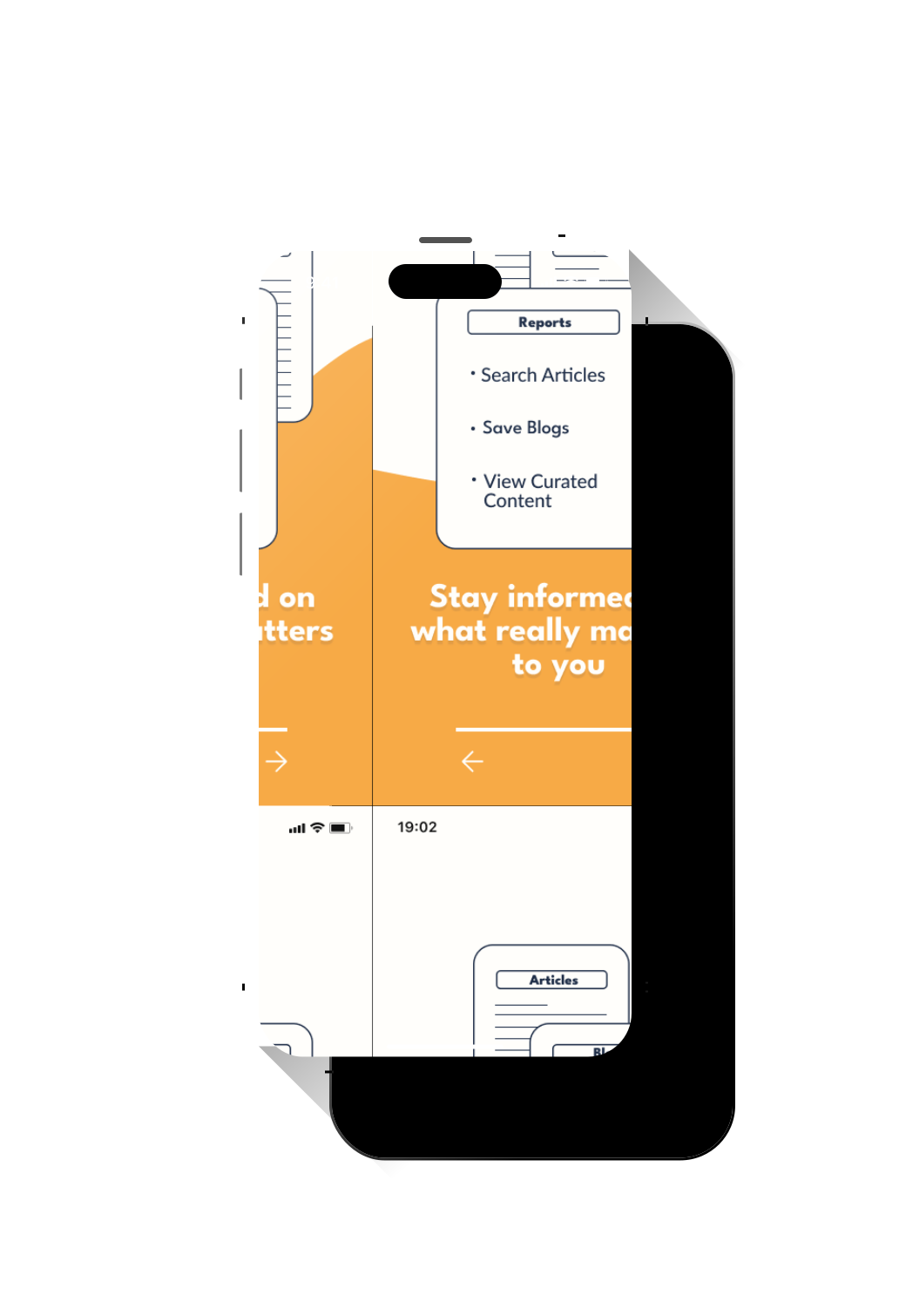
Observations revealed that users encountered difficulties with the scrolling feature, often swiping at inappropriate moments or in incorrect directions. To address this issue, I enhanced user understanding of the swiping direction by incorporating directional arrow icons on both sides of the progress indicators at the bottom. This addition is expected to provide clearer guidance and improve the user experience.

Friction viewing notes in
correlations

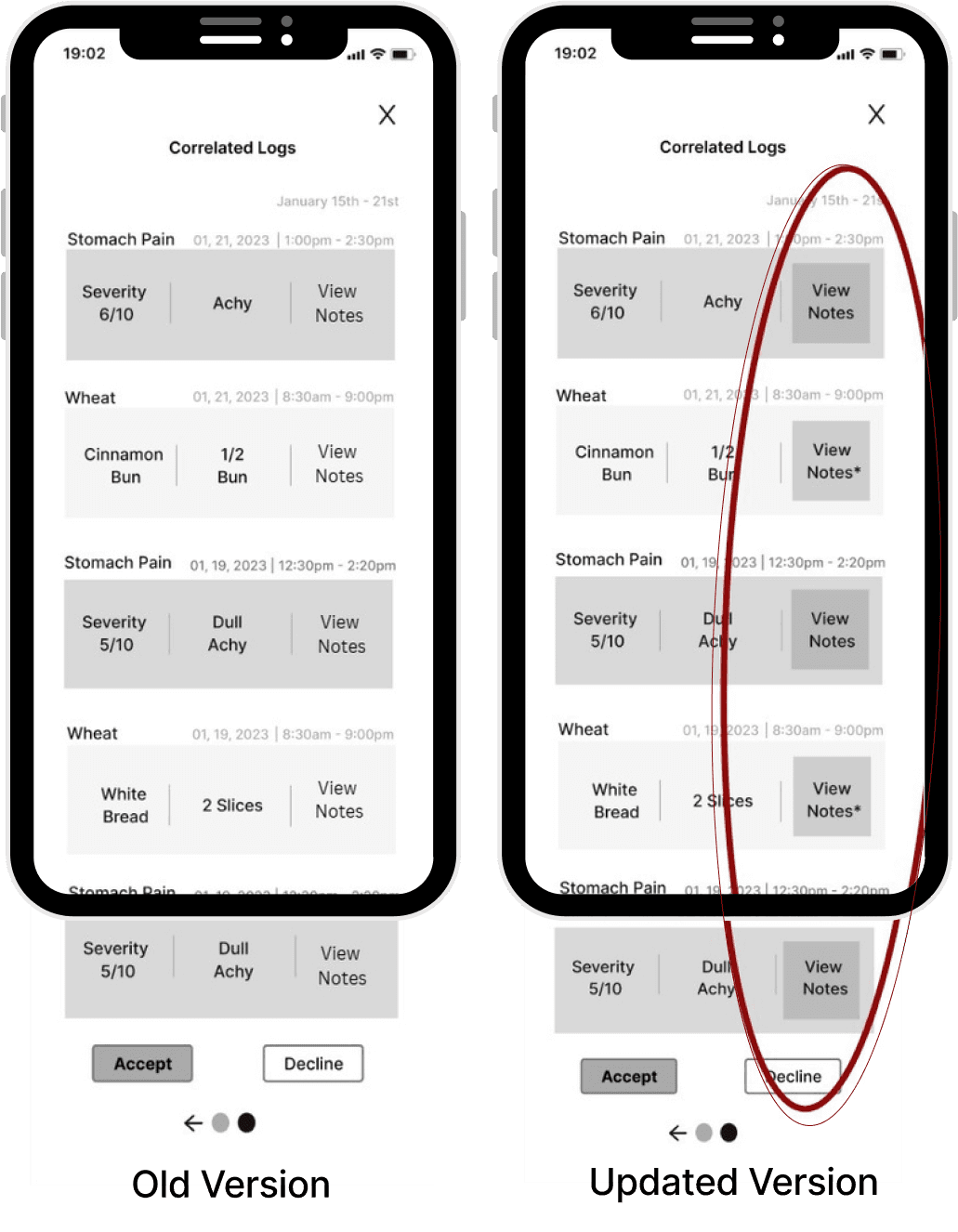
Users struggled to view notes within the correlated log section, expressing surprise and experiencing delays. To enhance usability, I made the visuals more prominent and button-like, providing clearer guidance for users.

Overall Changes

Overall Changes

  • Add Olives logo to the app name

  • Make past logs easier to find

  • Make swiping more intuitive

  • "View notes" easier to find

  • Add Olives logo to the app name

  • Make past logs easier to find

  • Make swiping more intuitive

  • "View notes" easier to find

  • Add Olives logo to the app name

  • Make past logs easier to find

  • Make swiping more intuitive

  • "View notes" easier to find

Mid-Fidelity Wireframe

Mid-Fidelity Wireframe

Once I gathered feedback and incorporated the necessary adjustments, I proceeded with crafting a mid-fidelity version of Olive to refine its features.

Once I gathered feedback and incorporated the necessary adjustments, I proceeded with crafting a mid-fidelity version of Olive to refine its features.

Design Language

Design Language

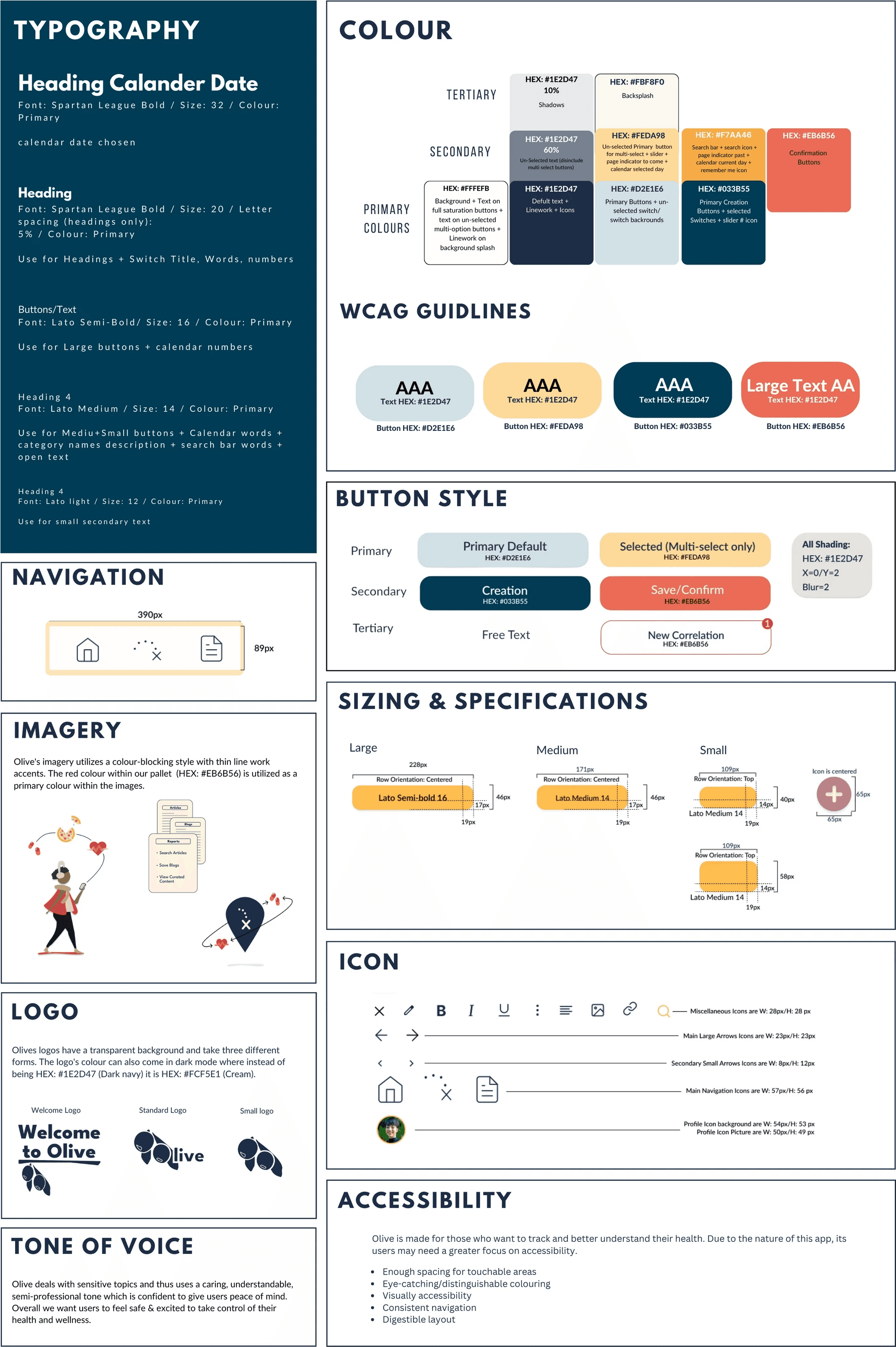
After laying out the basics it's time to hone in on the visual design to make a cohesive visually appealing app. When deciding on visuals for Olive I wanted something that is clean and bright with fun pops of colour.

After laying out the basics it's time to hone in on the visual design to make a cohesive visually appealing app. When deciding on visuals for Olive I wanted something that is clean and bright with fun pops of colour.